



emailIcon
solutions@disolutions.net
facebook
+91-9904566590
facebookinstagramLinkedInIconyoutubeIcontiktokIcon

Built by DI Solutions

TAGeX

TAGeX is an asset capture application that turns photographs of commercial equipment taken on site into clean, reviewed inventory records in NetSuite, and then tracks where each item physically ends up.

#Inventory#NetSuite#Mobile capture#Workflow
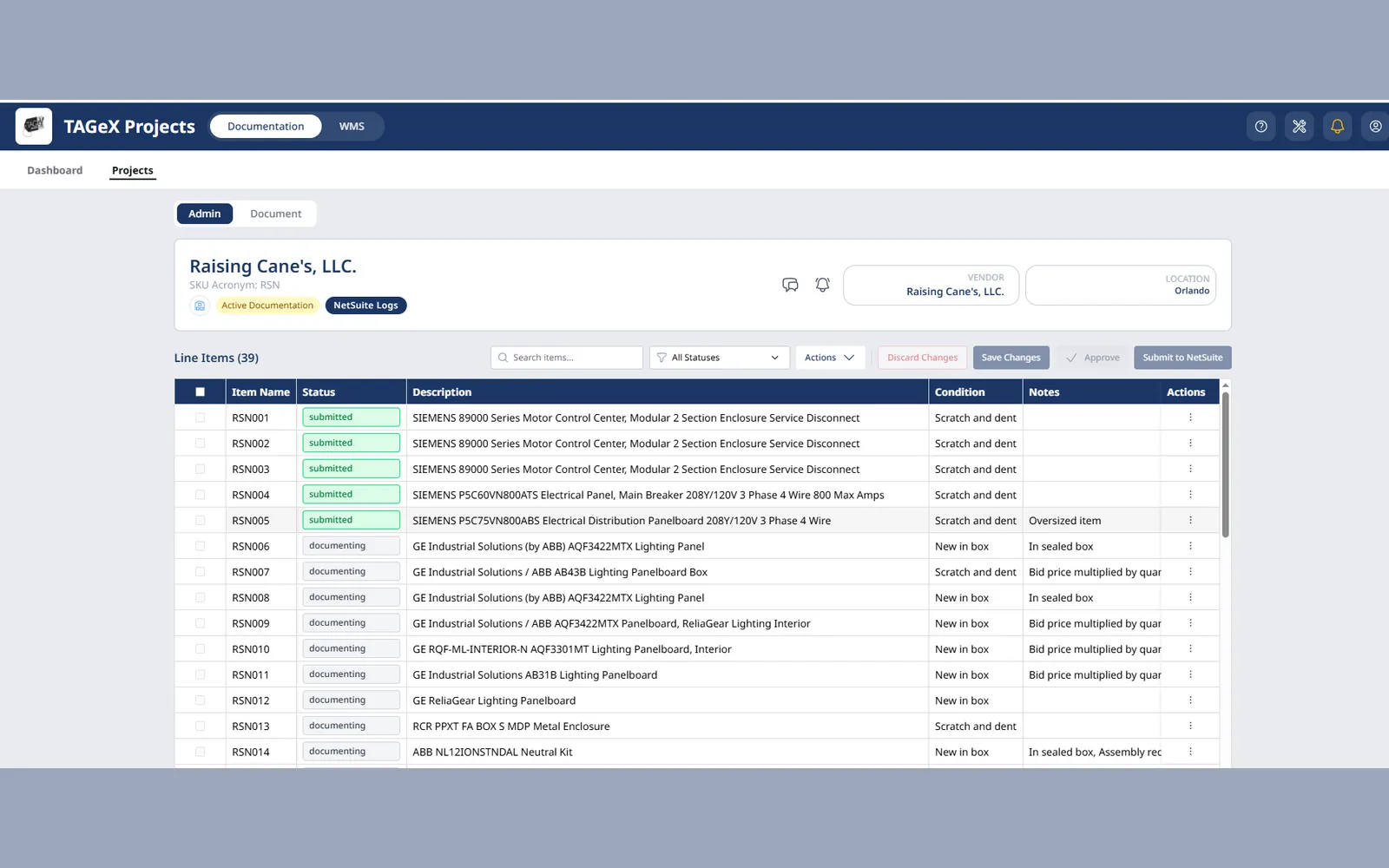
The TAGeX project view, listing captured equipment with its review status, description and condition ahead of submission to NetSuite

What TAGeX does

Field capture

  • Photograph assets on a phone
  • No specialist training required
  • Built for a walk-through of a live site

Review pipeline

  • Five item statuses
  • Status-driven field permissions
  • Role-based edit control
  • Dedicated data scrubbing stage before submission

NetSuite integration

  • Items become real NetSuite inventory records
  • NetSuite-first bin moves on submitted items
  • Rejected moves never land locally

Warehouse tracking

  • Bin location per item
  • Movement history
  • Physical location reconciled with the system of record

TAGeX in use

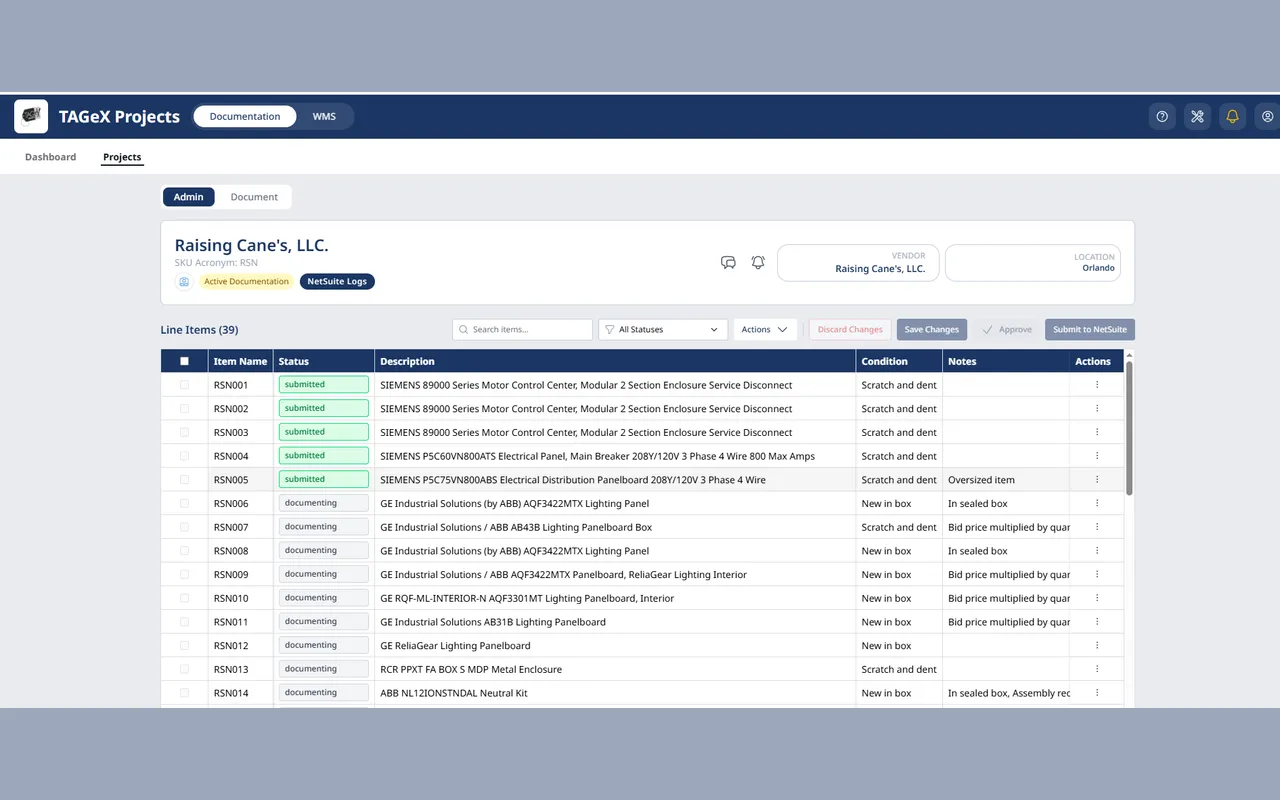
A TAGeX project's line items, each row carrying its SKU, review status, equipment description and condition, with a Submit to NetSuite action above the table
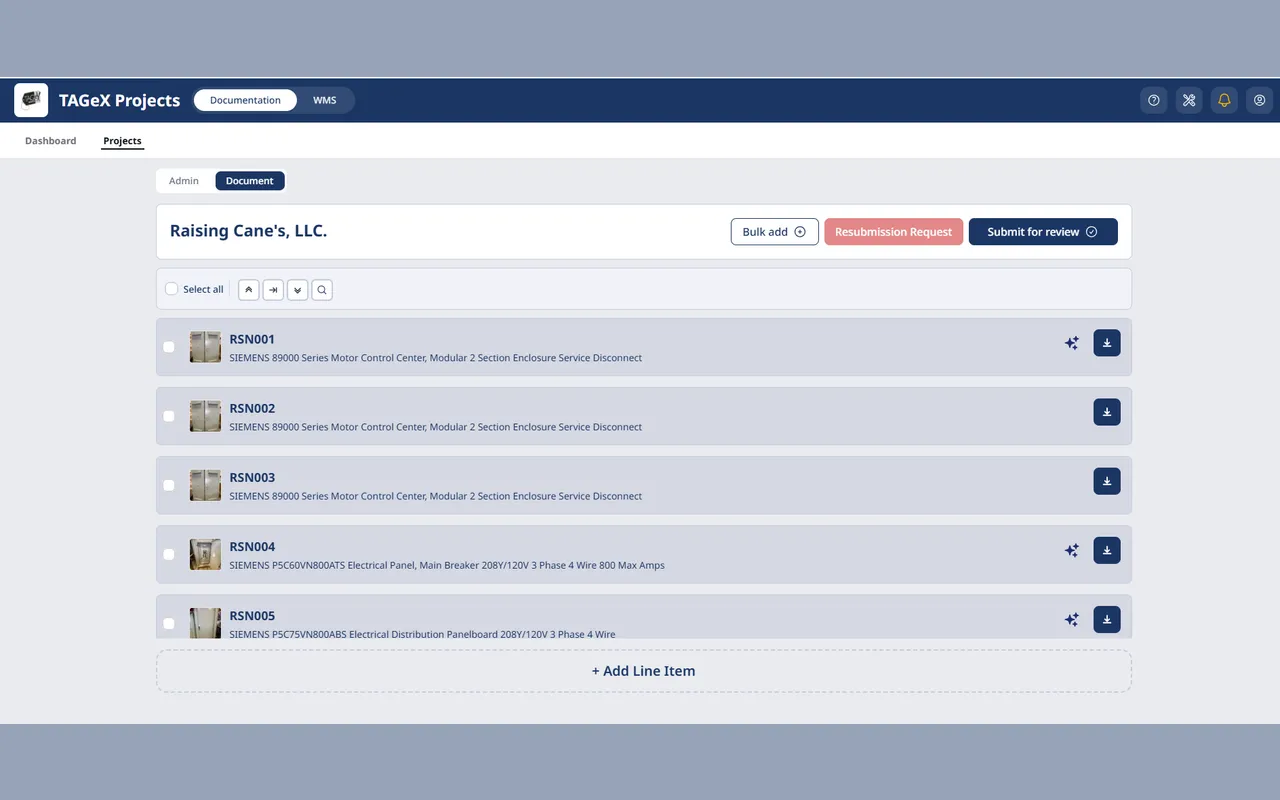
The documentation view of the same project, each captured item shown as a photo thumbnail beside its description, ready for bulk add or submission for review
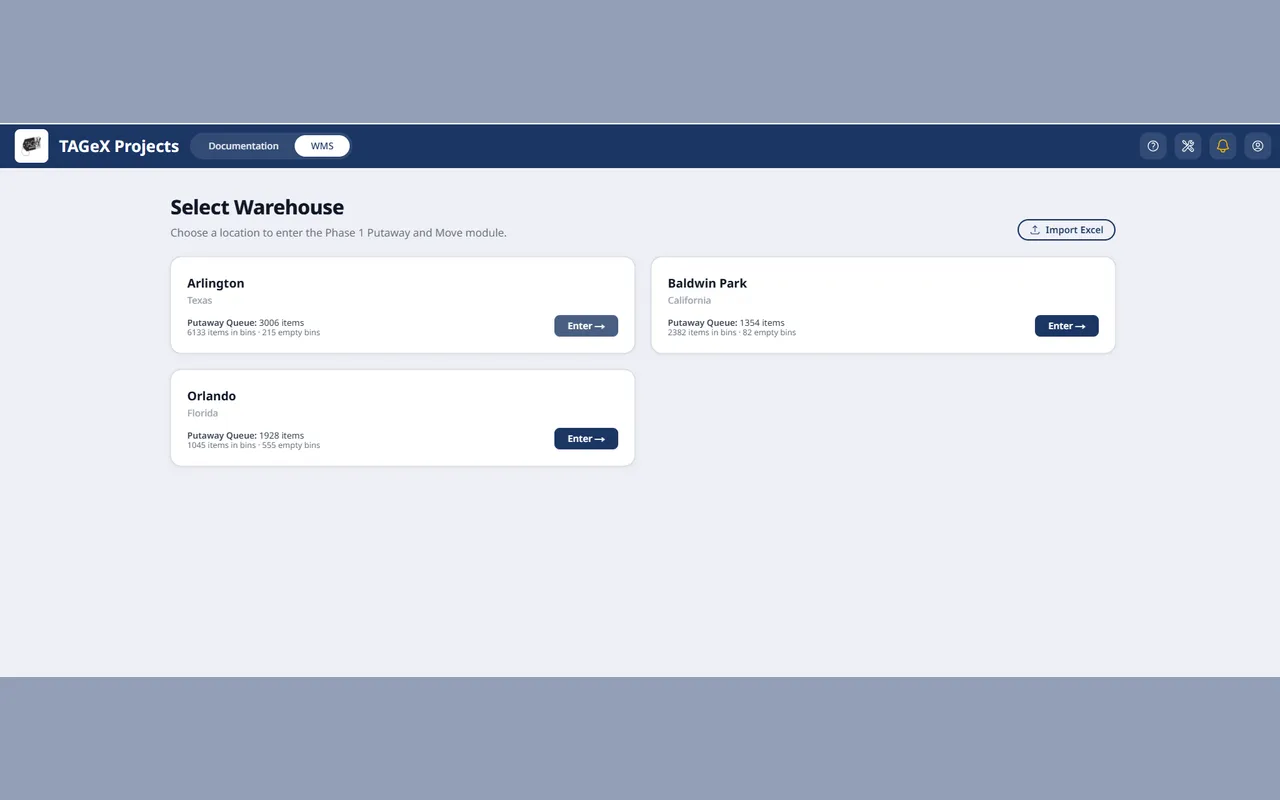
The warehouse picker, each site listing its putaway queue, items already in bins and how many bins remain empty
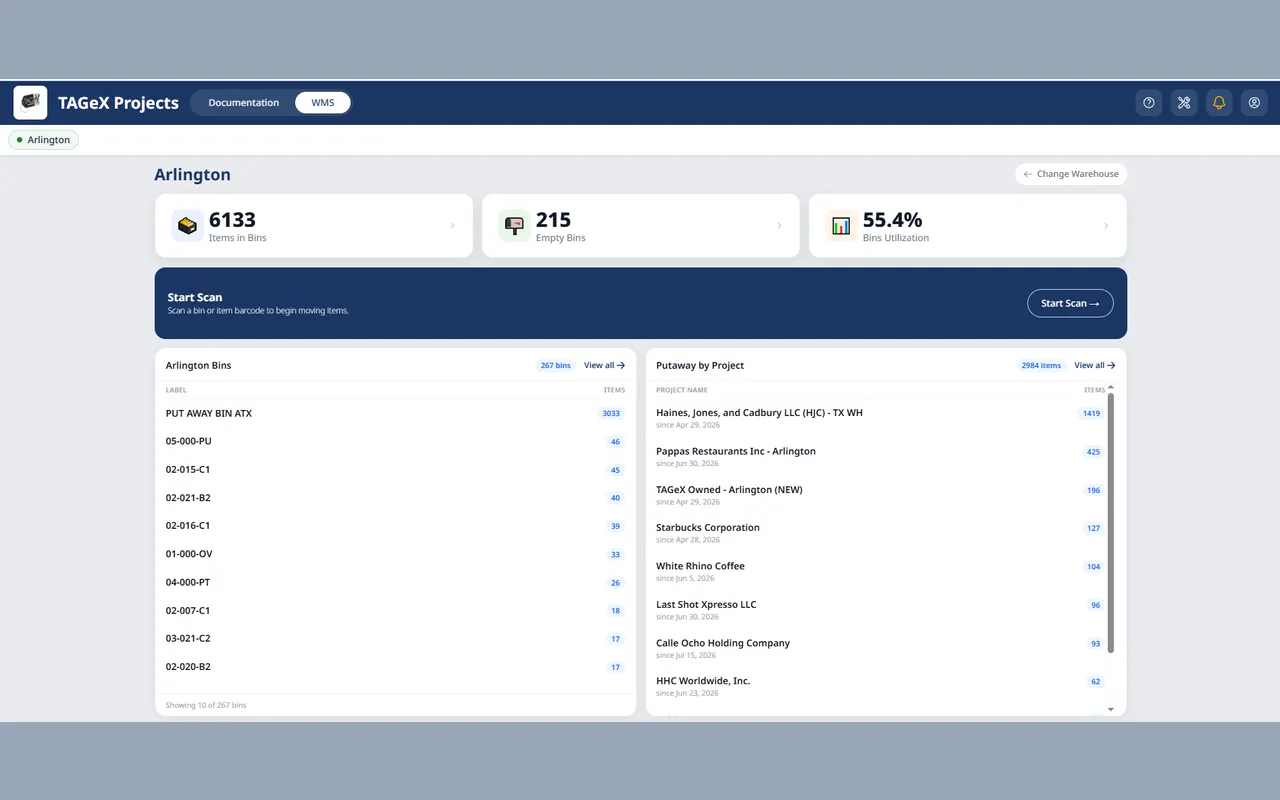
The warehouse dashboard, with items in bins, empty bins and bin utilisation above a bin list and a putaway breakdown by project
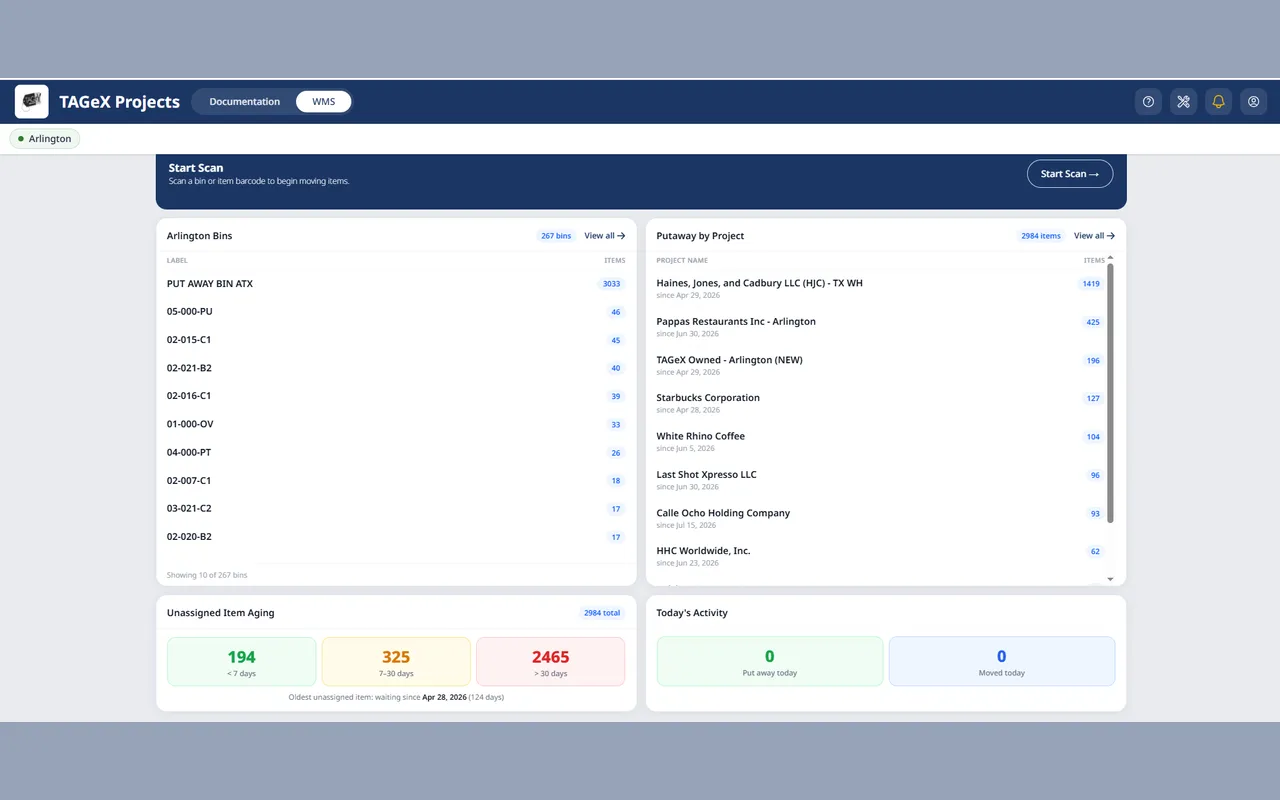
Unassigned item aging on the same dashboard, splitting the backlog into under seven days, seven to thirty, and over thirty
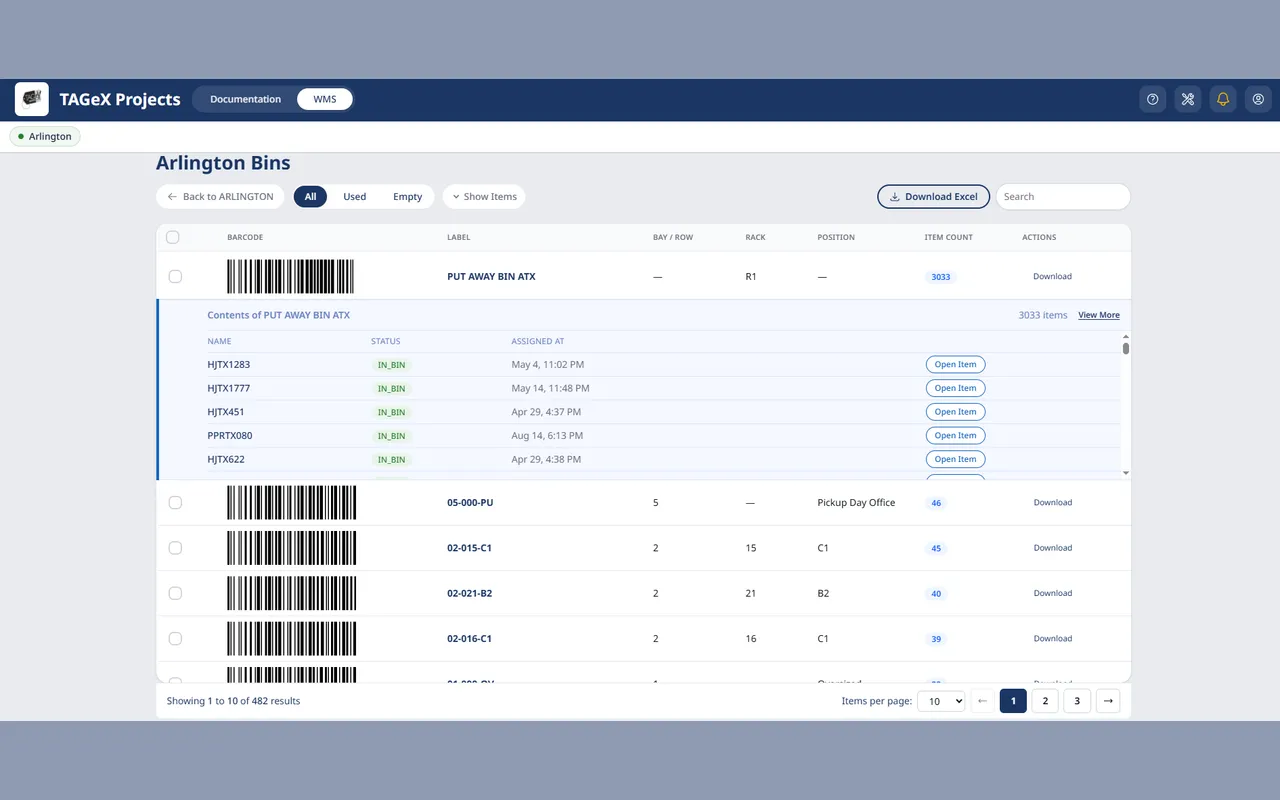
The bin list for a warehouse, each row showing its barcode, bay, rack and position, with one bin expanded to its contents

How we built it

Challenges

Liquidation and relocation capture happens on site, on a phone, by whoever is walking the floor — not by a data-entry specialist. The raw output is photographs, while NetSuite needs clean, structured inventory records, and the two have to end up agreeing.

Our Process

We made item status the spine of the product. Every item moves through documenting, in review, data scrubbing, submitted and edited, and the status decides which fields are editable, who may edit them, and whether the item exists in NetSuite yet.

Solutions

Mobile capture in the field, a staged review and scrubbing pipeline, role-aware field permissions, and a NetSuite integration that treats NetSuite as authoritative the moment an item is submitted.

Results

A submitted item's bin move goes to NetSuite first and only lands locally if NetSuite accepts it, so the app and the system of record cannot silently disagree about where an item is.

At a glance

Product
TAGeX
Built by
DI Solutions
Category
Inventory and asset management
Front end
React
Back end
Node.js
System of record
NetSuite
Item pipeline
Documenting → in review → data scrubbing → submitted → edited
Status
In production, ongoing development

What does TAGeX do?

TAGeX carries commercial equipment from a customer's site to a warehouse shelf. When a restaurant or hotel is liquidated or relocated, someone walks the site photographing every asset. TAGeX turns that raw capture into structured inventory data, pushes it to NetSuite, and tracks the item's physical location.

What are the TAGeX item statuses?

Items move through five stages: documenting, in review, data scrubbing, submitted, and edited. The status is the spine of the product — it decides which fields are editable, who is allowed to edit them, and whether the item exists in NetSuite yet.

How does TAGeX push inventory to NetSuite?

Status drives real behaviour rather than just labelling a row. Once an item is submitted it exists in NetSuite, so a bin move goes to NetSuite first and only lands in the local record if NetSuite accepts it. The two systems cannot silently disagree about where an item is.

Writing locally first and syncing later would let a warehouse move succeed on the floor and fail in the system of record. Making NetSuite authoritative for submitted items removes that class of drift entirely.

Who is TAGeX for?

Liquidators, asset recovery firms and relocation specialists who move commercial equipment at volume and need it reconciled against NetSuite. It suits operations where the capture happens in the field, on a phone, by someone who is not a data-entry specialist.

Support Center

Frequently Asked Questions

Find answers to common questions about our services, process, and how we deliver unparalleled digital solutions.

The local record does not change. For a submitted item the move is sent to NetSuite first and only applied locally once NetSuite accepts it, so the app never shows a location NetSuite disagrees with.

No. Item status determines which fields are editable and which roles may edit them, so data that has already been scrubbed and submitted cannot be quietly altered.

No. The capture step is designed for someone walking the site with a phone. The structuring and review work happens afterwards in the data scrubbing and review stages.

Published

messageIcon
callIcon
whatsApp
skypeIcon