






Open Source
CodeGraph: Why Your AI Agent Reads 30 Files to Answer One Question


By DI Solutions
Developer

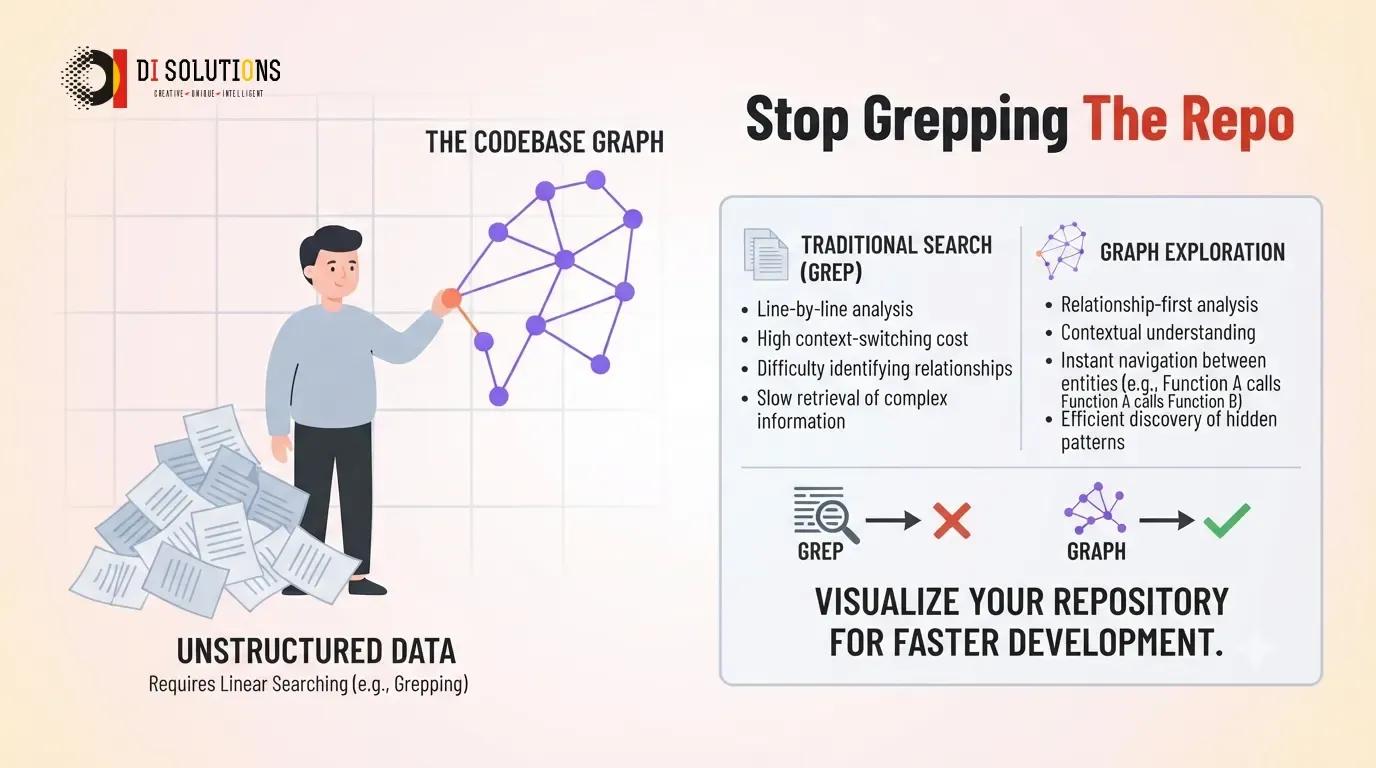
CodeGraph parses your repository into a graph of symbols, calls and dependencies, keeps it in a local SQLite database that updates as you type, and hands it to your AI coding agent over the Model Context Protocol. The agent stops grepping and starts querying.
If you have ever watched an agent spend ninety seconds and a small fortune in tokens to answer a question your IDE would resolve instantly, you already understand the problem.
Key takeaways
- Agents explore code by reading files, which is the most expensive possible way to answer a structural question.
- CodeGraph replaces that with an index: tree-sitter parsing into local SQLite with full-text search, kept current by OS file watchers.
- It exposes exactly one MCP tool, on purpose — more tools made agents wander back into file crawling.
- Published benchmarks across seven repositories: a median of 2 tool calls versus 28, about 53% faster and 62% fewer tokens.
- Fully local. Nothing leaves the machine, which is what makes it viable on client code under NDA.
- Its README publishes a metric that makes it look worse. That is rarer, and more informative, than the benchmark.
Why does an agent read thirty files?
Because it has no map. Ask a coding agent "what breaks if I change the signature of this method?" and watch what it does. It greps for the method name. It gets forty hits. It reads a file to see whether hit number three is a call or a comment. It greps for the class. It reads another file. And so on.
Every one of those reads is a round trip, and every file lands whole in the context window whether you needed six lines of it or not. On a mature .NET or React codebase that is minutes of wall clock and a genuinely material share of your API bill — for a question a symbol index answers in milliseconds.
Worse, it is unreliable. Grep does not know that a call arrives through an interface, a dependency injection container, a framework route or a React Native bridge. The agent misses those callers, then answers confidently. You get a refactor that compiles and breaks at runtime.
Your IDE solved this decades ago by building an index. The agents simply never had one.
How does CodeGraph work?
- Parse. Tree-sitter grammars turn each file into a syntax tree, driven by a native kernel that sizes its worker pool to the machine.
- Build the graph. Symbols become nodes; calls, imports and inheritance become edges. Cross-language bridges — Swift to Objective-C, React Native bridge calls, Expo module links — are edges too, which is where plain per-language parsing gives up.
- Store it locally. Everything lands in a SQLite database inside the project, with full-text search over the source. No server, no upload.
- Keep it fresh. Native OS file watchers update the graph as you edit, so there is no re-index step to remember.
- Serve one tool. An MCP server exposes a single exploration tool that returns verbatim source grouped by file, call paths between symbols including dynamic-dispatch hops, and an impact radius — all in one response.
It is also framework-aware, mapping URL routes to the handlers that serve them across a couple of dozen web frameworks. That turns "where is this endpoint implemented?" from a search into a lookup.
The one-tool decision
Most MCP servers ship a generous menu of tools. CodeGraph ships one, and the reasoning is more interesting than the feature.
Given several tools, an agent picks among them — and reliably picked wrong, falling back to reading files or spawning a sub-agent whose job was to read files. The token savings evaporated. Collapsing everything into one call that returns source, paths and impact together removes the choice.
It is a useful lesson for anyone building MCP servers, and it generalises: if you are designing a tool surface for a model, the question is not what capabilities you can expose, it is which menu produces the behaviour you want. We covered the wider protocol in our guide to MCP.
What the numbers say — including the awkward one
Across seven real codebases the project reports a median of 2 tool calls where a file-reading agent needed 28, around 53% faster, 62% fewer tokens, 44% cheaper, and zero file reads on every benchmark repository. On Excalidraw specifically it reports 45 seconds against 2 minutes 42.
Then the README says something most projects would bury. Because the retrieved context is precise, it stays resident in the window across a multi-turn session — roughly 80% more than file-reading leaves behind. You save tokens per query and your context fills up faster.
That is a real trade-off, and publishing it is a strong signal about the project. Practically it means CodeGraph shines on focused sessions — an impact analysis, a targeted refactor, a "who calls this" sweep — and you should still start a fresh session when you change task, rather than assuming precision buys you an infinite conversation.
Where it fits in an agency workflow
| Task | Without an index | With CodeGraph |
|---|---|---|
| Impact analysis before a refactor | Grep, read, hope you found the indirect callers | Impact radius returned directly, bridges included |
| Onboarding onto inherited client code | Days of reading to find the seams | Ask for the call paths into a module |
| Tracing an API route to its handler | Search the router, then search again | Framework-aware route mapping |
| React Native and native iOS boundaries | Edges are invisible to per-language search | Bridge edges are first-class |
Alternatives worth knowing
- A language server over MCP — LSP-backed bridges give an agent go-to-definition and find-references from the same index your editor already maintains. Less to install, narrower answers, no cross-language bridges.
- Sourcegraph — the enterprise answer, with server-side indexes across your whole estate. Heavier, hosted or self-hosted, and priced accordingly, but it scales past one developer's laptop.
- Your agent's built-in repo map — several coding agents already rank and summarise files with tree-sitter. Free, zero setup, and often enough on a small repository. The gap opens up at scale.
- Just writing better prompts — genuinely underrated. Pointing the agent at the three files that matter costs nothing and beats any index on a small task.
Limitations to plan around
- Resident context grows. The trade-off above is real; start fresh sessions between tasks.
- WSL2 on Windows drives is problematic. The project recommends a native Linux filesystem. On a Windows team, keep repositories inside the WSL filesystem rather than under
/mnt/c. - The initial index is heavy. The SQLite write-ahead log grows substantially while it runs. Expected, but budget the disk.
- Static analysis has limits. Reflection, dynamic dispatch through strings and runtime-registered handlers will still slip through any graph. Treat impact radius as a strong hint, not a proof.
How do you get started?
- Install the CLI using the install script from the repository, then run
codegraph installto wire up your agents. - Initialise a project with
codegraph initinside the repository. Let the first index finish before you judge it. - Add the database directory to .gitignore. It is a derived artifact and it is large.
- Test it on a question you already know the answer to. Pick a method with a known awkward caller and see whether the impact radius finds it. That calibrates how much to trust it.
Conclusion
CodeGraph is a well-aimed tool. It targets the single most wasteful thing coding agents do, it keeps everything local so it survives an NDA review, and it is honest about what it costs you.
It is also a young project with a large issue queue, so pilot it on internal work before it becomes load-bearing on a client engagement. That is a sentence worth repeating for most of the tools in this series.
Inherited a codebase nobody wants to touch?
DI Solutions takes on legacy .NET and React estates — mapping what depends on what before anyone changes a line, then refactoring with tests behind it. Bring in our engineering team and start with a map instead of a guess.
Reference links
Frequently Asked Questions (FAQs)
What is CodeGraph?
CodeGraph is an open-source tool that parses your repository into a graph of symbols, call edges and dependencies, stores it in a local SQLite database, and exposes it to AI coding agents over the Model Context Protocol so they can query structure instead of reading files.
How does CodeGraph reduce token usage?
An agent asked who calls a function normally greps, reads a file, greps again, and repeats. CodeGraph answers the same question from an index in one or two tool calls. The project's published benchmark across seven repositories reports a median of 2 tool calls against 28, and roughly 62 percent fewer tokens.
Does CodeGraph send my code anywhere?
No. It runs entirely on your machine — tree-sitter parsing into a local SQLite database with full-text search. There is no API call and no external service, which is what makes it usable on client code covered by an NDA.
Why does CodeGraph expose only one MCP tool?
Deliberate design. Given many tools, agents tended to drift back into file crawling and delegate exploration to sub-agents that read files. A single exploration tool that returns source, call paths and impact radius in one response removes that temptation.
Which languages does CodeGraph support?
Over twenty, built on tree-sitter grammars — including TypeScript, JavaScript, Python, Go, Rust, Java, C#, PHP, Ruby, Swift and Kotlin. It also builds cross-language bridge edges, such as Swift to Objective-C and React Native bridge calls, which plain per-language parsing misses.
Does CodeGraph work on Windows?
Yes, with a caveat the project documents: WSL2 accessing files on Windows drives has socket reliability problems, and a native Linux filesystem is recommended. On a Windows team, run it natively or keep repositories inside the WSL filesystem rather than under /mnt/c.
Do I need to re-index after every change?
No. CodeGraph watches the filesystem with native OS watchers and updates the graph as you edit. The database write-ahead log grows noticeably during the initial index, which the project notes is expected.